
Overview
North American Motorsports Research is pleased to announce our next major release for 2026, Atlas 2026.2.
In this version of Atlas, everyone is now a part of one big happy family with NAMR’s new unified definitions. If you are among the many professional tuners waiting to use Atlas in your shop, you can now come aboard and apply as a licensed & commercial tuner with read lock support directly in Atlas.
Buckle up for a faster, more precise, and more user-friendly experience with our new release, and be sure to dive into all the exciting details below!
Cloud Projects
Unified Definitions
VA WRX owners (2015-2021 model years), your time has come! Your project has been combined with the VB WRX definitions to establish our unified definitions for both the VA and VB WRX we have called SUBARU_DIT. These new definitions encompass all current and future direct injected turbo Subaru-powered vehicle platforms sporting the FA20 and FA24.
And to our VB WRX users, don’t worry, you too have received major improvements to the definitions you were used to in 2026.1. Between new parameters, tables, and hooks, over a hundred new parameters are now available to you to delve even deeper into your ECU – and since the definitions are now unified, we have made every effort possible to include the VA WRX in these countless improvements as well.
This unification is a major leap forward for the Atlas ecosystem. Starting with 2026.2, you can now:
-
Dive significantly deeper into the VA WRX logic with countless new tables, parameters, and hooks, with many more to come.
-
Write custom features that cross-compile on both the VA WRX and VB WRX with little to no effort.
-
Review datalogs for both FA20 and FA24-powered vehicles in the same project.
-
Compare and apply tables (or even entire tunes) across vehicle generations.
-
Learn one unified set of definitions and be able to tune multiple generations of vehicles.
Cloud Delivery
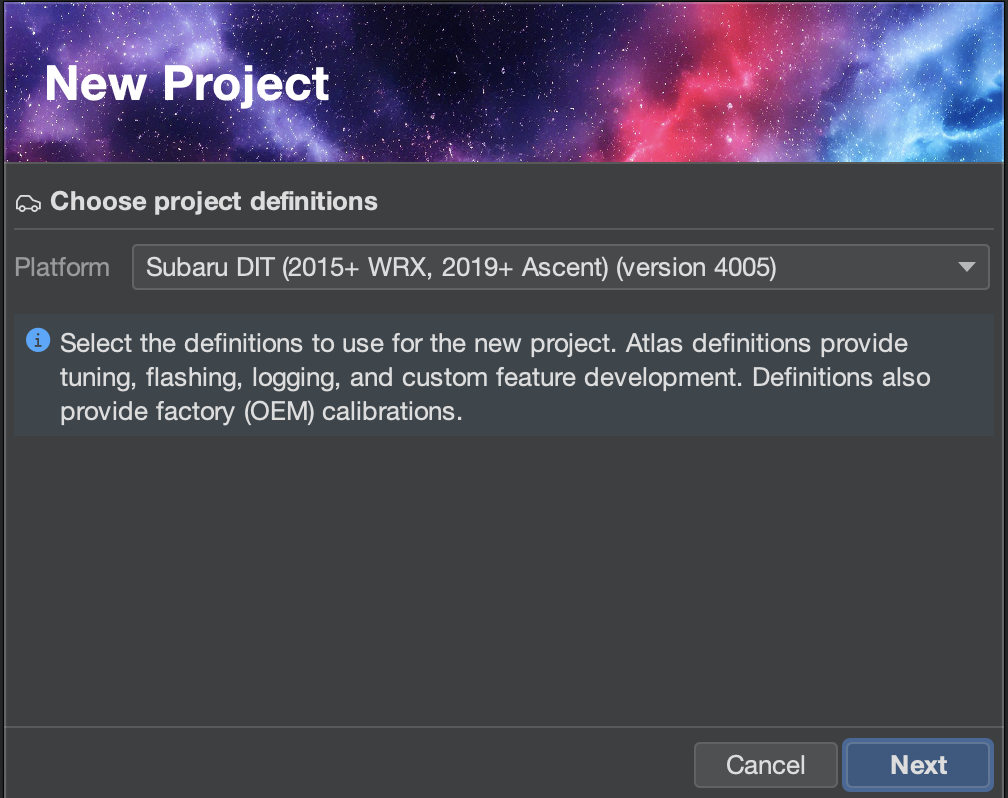
Gone are the days of importing and upgrading projects. Starting with Atlas 2026.2, definitions are now delivered to you directly from the cloud.
Additionally, OEM & OTS calibrations automatically download as you need them ( ), vastly reducing the download size and time to further speed up your workflow.
Updates
Atlas will now check for updates to your definitions and let you choose when you’d like to update. A new definition update button will display in the upper-right corner of Atlas when a new version is available for you. Updating takes only a few seconds.
You no longer have to be worried about being up-to-date with your definitions; NAMR will now deliver definition fixes & improvements to our users over the Internet regularly.

Premium Custom Features
Starting with Atlas 2026.2, North American Motorsports Research is improving our offering by initially releasing two premium custom features to our users.
To kick things off, two novel custom features are launching for the VA and VB WRX alongside this new version of Atlas! This initial release focuses on bringing more exciting exhaust notes for your WRX.
Unequal Length Header Emulation
Months of research and development and countless combined reliability testing miles across our fleet of beta and development vehicles has resulted in us releasing an exciting feature for the FA-powered WRX: UELHE.
Bring back the Subaru rumble with NAMR’s unequal length header emulation on your FA-powered WRX! UELHE replicates the sonic exhaust character of an unequal length header to not only fully unlock your WRX’s rumble, but preserves performance by blending back into an equal-length operation envelope in wide open throttle.
You can now experience the best of unequal and equal length exhaust headers with just a software tune!
Big Factory Cams
Emulate larger cams on your FA-powered WRX with our physically modeled take on what is popularly called ghost cam.
With careful tuning and airflow modeling, NAMR’s BFC accurately replicates the physical operating condition that exists when large cams are installed into your motor, resulting in a choppy idle.
NAMR’s Big Factory Cams does not continually modulate spark or valve timing or sacrifice oil pressure to operate unlike many other ghost cam features, making BFC a more reliable way to have that choppy idle sound for the long-term.
Bring more spice into your tune and turn heads with an unexpected sound using BFC!
UELHE and BFC are available along with the release of Atlas 2026.2. Check out our shop to get them!
More features are coming and will release over the coming weeks. BFC and UELHE are only the tip of the iceberg, so stay tuned for more exciting features!
Commercial Support
Atlas 2026.2 now fully supports commercial tuning utilizing tune locks. Locked tunes cannot be inspected, read from a vehicle, or flashed to any other vehicle other than the one with a VIN they were originally licensed to. This establishes an intellectual-property protection system that our pro-tuner community has been requesting to begin using Atlas in professional shops.
Locking a tune requires a vehicle to be licensed between the tuner and the vehicle (by VIN). This license can be established for a vehicle by allocating a vehicle credit to the vehicle. Licenses to any given VIN for a specific tuner is permanent. Credits are available to Atlas commercial tuners at a highly competitive rate in the spirit of affordable and accessible tuning.
This commercial capability is now available to all individuals and businesses upon application. Whether you are interested in converting your tuning hobby into a marketable skill or you already have a thriving business, you can now submit an application using the Atlas software itself.
Check out the new Account → Request Commercial License menu option in Atlas to get started!
VA WRX Off-the-Shelf (OTS) Maps
We are now pleased to offer off-the-shelf maps for the VA WRX with this release of Atlas.
Highlights
-
Now introducing an OTS for the FA20-powered VA WRX on our unified definitions.
-
More power has been safely and reliably unlocked for your VA WRX with adjusted targets.
-
Revised boost, ignition, and fuel targets along with adjusted DTC limits to accommodate more boost and power.
-
Standard full-time closed loop (FTCL).
-
More accurate and responsive wastegate control.
-
Improved AVCS that packs a bigger punch on your top end, along with earlier activation of the AVCS targets after reflashing to make tuning and logging easier.
-
Linearized throttle maps and improved throttle response.
-
See Our OTS in the Cloud
Our OTS tunes are delivered via the cloud, meaning you no longer need to download these from our website separately.
Datalogger
Along with the significant improvements afforded by the unified definition ecosystem, the Atlas datalogger has received significant performance enhancements and user interface improvements centered around propelling your workflow.
Highlights
-
Better memory efficiency and an improved capacity for longer logs.
-
New buttons and menu items to make working in the datalogger easier.
-
Automatic capture of DTCs, VIN, and other important metadata to provide more rich detail and context for your customer’s logs.
-
Hold Alt (Windows) or Option (MacOS) and drag traces up and down to rescale them for easier differentiation of minute datapoints.
-
Proprietary improvements make the Atlas advanced datalogger one of the only implementations available that now records empirical datapoints with microsecond-level precision synchronized directly to the ECU’s internal clock.
-
Limits have been doubled on the maximum log frame size, permitting as many as 200 parameters and consequently more bytes logged per-frame while maintaining a high speed.
-
Parameter trace colors are now generated per unit class to further reduce confusing color collisions.
-
Fixed an issue on Windows builds of Atlas that caused squares to be rendered instead of smooth dots on the logger traces.
Log Information
Atlas' advanced datalogger now captures several key details from your datalogs that assists our commercial users in identifying issues and troubleshooting with fewer follow-up questions. The datalogger now captures the VIN, current DTCs, OBDII adapter used, gauge set used, tune flash date, and more. This information is all available to a reviewer when the log is opened in Atlas, and if present, DTCs are automatically indicated with a check engine light (CEL/MIL) icon in the logger user interface.

Custom Feature Designer
In this version of Atlas, the Custom Feature Designer has received several fixes and updates to increase its capabilities.
Highlights
-
Several hooks have been added or improved for both the VA and VB WRX that unlock capabilities such as deeper AVCS control, greater authority over idle, more precise DFCO control, and per-cylinder spark cut control.
-
A new “Dither” node has been added:
-
. This node allows you to dither floating-point values such as cylinder cut in your custom features.
-
A new “Table Reference” node has been added. This node allows you to easily reference single-cell (1x1) tables and reference points across the ECU (such as engine displacement) in your custom features.
-
Several issues have been resolved that affected how hooks performed on the VA WRX, such as torque, ignition, and throttle.
-
Numerous other stability and reliability fixes have been introduced to the custom feature engine for the VA WRX to unify the experience across both platforms.
-
A new Problems tab has been added to make finding and fixing problems in your custom features easier.
Problems Tab
This version of Atlas introduces a new Problems tab, located at the bottom of the program next to the existing Messages tab.
One of the challenges with maintaining a calibration with complex custom features is keeping track of the locations where different errors are occurring. The Problems tab helps you manage this workload better.

Atlas now continually scans your custom features in the background for your active calibration and lists any discovered issues in this new tab. Simply double-click on a line in Problems to be immediately navigated to the custom feature node with the identified issue.
Definitions
As typical with major Atlas releases, 2026.2 introduces another wave of new definitions of tables and parameters across the ECU to increase the level of depth and precision you can achieve with your Atlas calibrations.
Highlights
-
Mark tables and parameters important to you with a new favorites button (
 ) in the project tree to make navigating the immense depth of the Atlas definitions faster.
 -
Significant improvements have been made to the 2015-2021 WRX definitions, afforded from the unification of the VA and VB WRX projects in the Atlas “SUBARU_DIT” cloud project.
-
Several tables and parameters have had detailed descriptions added to help aid in understanding them.
-
The CAN signals for the cruise area buttons has been defined to enable rich user interaction with a tune for map switching and other custom feature-powered adjustments for the 2024+ VB WRX and the 2022+ CVT (SPT) VB WRX.
-
Dynamics Control - Track ModeandDynamics Control - Disabledhave been defined as a parameter to permit designing of custom features that leverage the VDC module’s operating state. -
Continued evolution of the
Engine - Torquefolder provides even greater detail and control of the ECU’s torque model. -
Engine - Syncis a new folder in the project that enables you to log precise engine synchronization parameters such as crank and cam tooth alignment, timing, and so forth. It is possible to accurately diagnose engine mechanical timing issues with only a cranking log. -
Air Conditioning (A/C) airflow compensations have been defined for idle. This assists in better maintaining your engine’s idle stability when lowering the factory idle speed or introducing functionality such as rotational idle or BFC.
-
Knock control window settings have been exposed for the VA and VB WRX, permitting you to reconfigure the knock sensor “listening” time and strategy as desired.
-
New DFCO
Requested/Commanded/Inhibitedflags have been introduced to enable logging deceleration fuel cutoff behavior. Additionally, a newFuel DFCO Commandedhook provides you with full control over DFCO behavior in the Custom Feature Designer. -
Fixed several tables with flipped conditions, incorrect naming, and improper scaling from 2026.1.
-
Significant space optimizations have been made to the VA and VB WRX, in several cases doubling available space for custom features.
Connectivity
This version of Atlas improves connectivity with your vehicle in a few meaningful ways. First, Atlas now may auto-select your device even if you haven’t configured it yet in the Device Settings dialog. Additionally, Atlas will more aggressively re-attempt to establish a connection with your device in case your operating system is reluctant to release the adapter’s communication port.

Highlights
-
Atlas now only prefers showing devices in the Device Settings dialog that are detected to be the vendor/product associated with the corresponding device type selected.
-
Atlas can now auto-connect to a device if it is the only supported and available device on your system that matches the vendor for the selected device type.
-
The Device Settings dialog now shows the descriptive information for the COM/serial port in the drop-down, significantly aiding in selecting a device when necessary
-
The Device Settings dialog now readily disconnects and reconnects to your desired device if you made changes in the dialog.
Table Editor
Impactful changes have been made to the Atlas table editor to improve your workflow and speed up the software when working with tables of all sizes.
Highlights
-
Hold Alt (Windows) or Option (MacOS) to select/lasso cells in the 3D visualizer with your mouse.
-
Fixed a bug when dragging mouse selections on table cells off-table.
-
Fixed a bug that caused the table columns to be unselectable.
-
The "Generate Table" dialog now remembers significantly more selections automatically.
-
Press
[or]keys to decrease or increase cells by the smallest step possible respectively. -
Hold shift and press
{or}keys to adjust cells by -1% or +1% respectively. -
Fixed a memory leak where table editors failed to release memory when closed.
-
Fixed performance issues with the table tracer, in some cases it would crash Atlas
It’s time to get your hands on the software that introduces the next chapter in modern performance tuning for the Subaru DIT platform! Atlas 2026.2 is available for download. With a supported adapter, flashing our VA or VB WRX off-the-shelf tune is completely free.